
Follow up receivables and payables
See pending bills party by party, read the ageing, work out interest on overdue bills and send a payment reminder.
Hisaab tracks bill by bill what customers owe you and what you owe suppliers. The reports are under All Reports in the "Receivables & banking" card.
See pending bills#
- Open All Reports, then Bills Receivable (customers) or Bills Payable (suppliers).
- Each party is a heading line with its total. Under it are the pending bills with Bill Date, Due, Pending and Overdue days.
- Press Enter on a bill to open the voucher that raised it. Press Enter on a party line to open the ledger.
The report is "as at" the end of the period. If the period runs past today, it is as at today. Press F2 to change the period.
How bills are worked out#
- With bill numbers. If you type a bill number on the party line of an invoice and the same number on the receipt or payment, that bill is settled by that amount.
- Without bill numbers. Each invoice is a bill named by its voucher number. Receipts and payments settle the oldest bills first. Any excess shows as an "On account" line.
- Opening balance. A party's opening balance shows as one bill called "Opening balance", due from the start of your books.
- Due date. The voucher date plus Credit period (days) on the party's ledger. With no credit period, a bill is due on its own date.
Only ledgers under Sundry Debtors and Sundry Creditors are included. Draft and cancelled vouchers are not.
Parties kept on account#
A party whose ledger has Track bill-by-bill switched off has no bills. It shows as one row, "On account", with its balance. In the ageing the whole balance is in "Not due". It is never overdue, so it has no interest and its reminder mentions no overdue amount. See Create ledgers and groups.
Read the ageing#
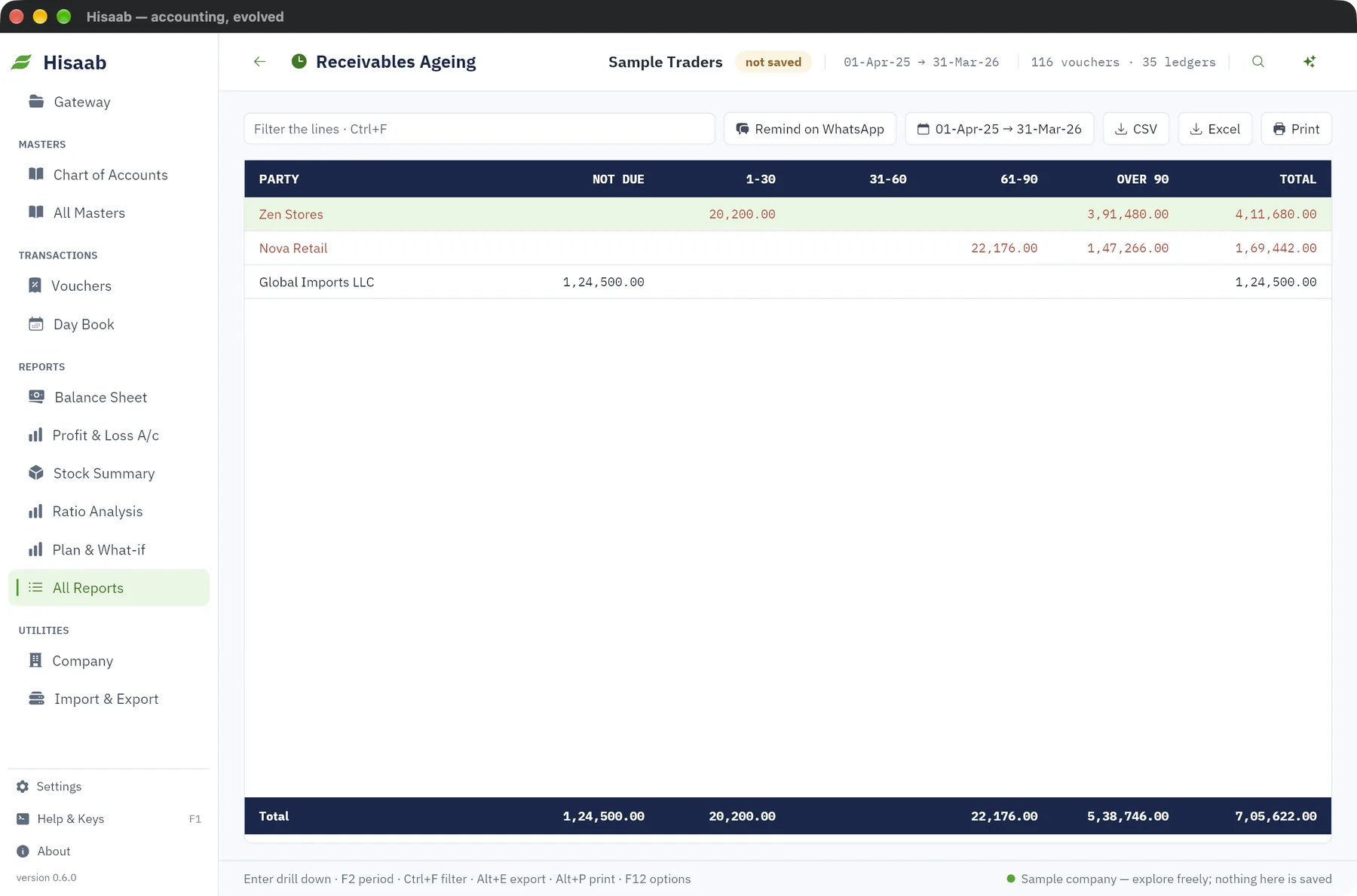
- From Bills Receivable or Bills Payable, click Ageing. Or open Receivables Ageing or Payables Ageing from All Reports.
- Each party has one line, largest total first.
| Column | Bills that fall in it |
|---|---|
| Not due | Not yet past the due date. Advances and on-account amounts reduce this column. |
| 1-30 | 1 to 30 days past the due date |
| 31-60 | 31 to 60 days |
| 61-90 | 61 to 90 days |
| Over 90 | More than 90 days |
Days are counted from the due date, not the bill date. With 30 days' credit, a bill moves into "1-30" on the 31st day after the invoice.
Work out interest on overdue bills#
- Open the party's ledger with Alter and type a rate in Interest % a year on overdue.
- Open All Reports, then Interest Calculation.
For each overdue bill the report shows the pending amount, days overdue, rate and interest. It uses simple interest: pending amount × rate × days overdue ÷ 365. For example, ₹1,00,000 overdue by 73 days at 18% gives ₹3,600.
Note: The report only calculates. Nothing is posted. To charge the interest, enter a Debit Note or Journal yourself.
Send a reminder#
- Open Bills Receivable or Receivables Ageing.
- Select the customer's line. In Bills Receivable, select the heading line with the party name.
- Click Remind on WhatsApp.
WhatsApp opens with a reminder already written, giving the amount outstanding and how much is overdue. Read it and press send. The customer's ledger must have a number in Phone / WhatsApp.
Limits#
- A line on a voucher takes one bill number for its full amount. To settle several bills in one receipt, use one party line per bill.
- You cannot type a separate due date for a single bill. For vouchers entered in the app, the due date comes from the credit period on the ledger.
- Interest is simple interest from the due date, with no compounding.
- There is no reminder button for payables, and no reminder by e-mail or SMS.
Next#
Something here wrong or missing? Open a ticket and mention this page.