
Enter opening balances
Put opening balances on ledgers and stock items by hand or from a sheet, and confirm with the Trial Balance that they agree.
An opening balance is stored on the ledger or stock item itself, not in a voucher. Debit openings and credit openings must total the same amount.
What the set-up already did#
If you gave a bank balance and cash in hand when you created the company, those two openings are in place, with the same total credited to Capital Account. Every other opening is still zero.
Enter an opening balance on a ledger#
- Click Chart of Accounts in the sidebar.
- Select the ledger and press Ctrl+Enter, or click Alter. To add a new ledger, press Alt+C.
- Type the amount in Opening balance.
- Click Dr or Cr beside it.
- Press Ctrl+S to save.
Enter opening stock#
- Click All Masters in the sidebar and open Stock Items.
- Select the item and press Ctrl+Enter.
- Fill Opening quantity and Opening value.
- Press Ctrl+S.
Import openings from a sheet#
- Click Import & Export in the sidebar.
- Beside Blank sheets to fill in, click ledgers. A file named
ledgers-template.csvis saved in yourexportsfolder. - Open it in a spreadsheet and fill one row per ledger, as in the example below.
- Save as CSV or
.xlsxand drop the file on the Hisaab window. It is imported straight away, and the status bar says how many ledgers were added.
Ledger Name,Under,Opening Balance,Dr/Cr,GSTIN,State,Address,Credit Days,Bill-wise
Sharma Traders,Sundry Debtors,25000.00,Dr,27AAPFU0939F1ZV,Maharashtra,"12 MG Road, Pune 411001",30,Yes
Kaveri Mills,Sundry Creditors,18500.00,Cr,,Karnataka,,45,Yes
Ledgers that already exist are updated, not duplicated, and only the columns in your sheet are changed. A sheet with only Ledger Name, Opening Balance and Dr/Cr is enough to set openings on existing ledgers. If Dr/Cr is blank, the amount is taken as a debit.
For stock, use the stock items sheet and its Opening Qty and Opening Value columns.
Careful: Re-importing a legacy XML file does not change the opening balance of a ledger that already exists. To correct an opening after the first import, alter the ledger or use a sheet.
Check with the Trial Balance#
- Press Ctrl+K, type
trialand press Enter. - Look at the totals at the bottom. Debit and Credit must be equal.
- Look for a row named Difference in opening balances.
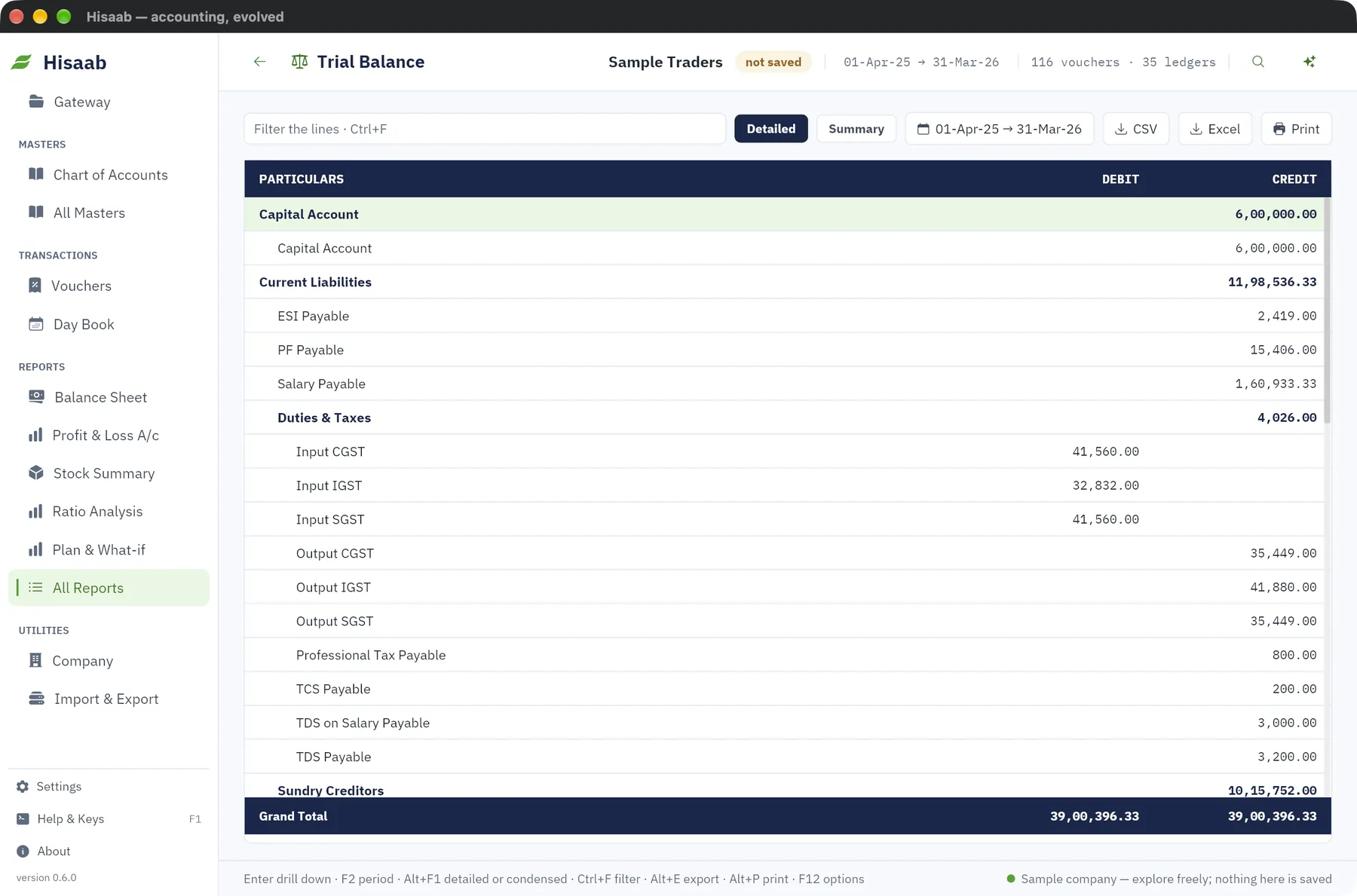
If that row is there, your openings do not agree. The amount in that row is how much is missing on one side.
To find the cause:
- Compare each group total with the closing balance sheet from your previous software.
- Check that creditors, loans and capital were entered as Cr.
- Check that capital and reserves are included.
The Data Health report, under All Reports, has an Opening balances line that says either "debits equal credits" or the amount they differ by.
Limits#
- An opening balance is one figure per ledger. There is no screen to split a party's opening into separate bills. In Bills Receivable and Bills Payable it appears as a single bill named "Opening balance".
- Opening stock is one quantity and one value per item. It is not split by godown or batch.
- The Opening value of stock does not enter the debit and credit check of ledger openings above.
Next#
Something here wrong or missing? Open a ticket and mention this page.