
Find the report you need
Look up any of the 39 reports by what it answers and open it from the All Reports screen.
Hisaab has 39 reports. Five of them sit in the sidebar: Day Book, Balance Sheet, Profit & Loss A/c, Stock Summary and Ratio Analysis. The rest are one click away on the All Reports screen, grouped as below.
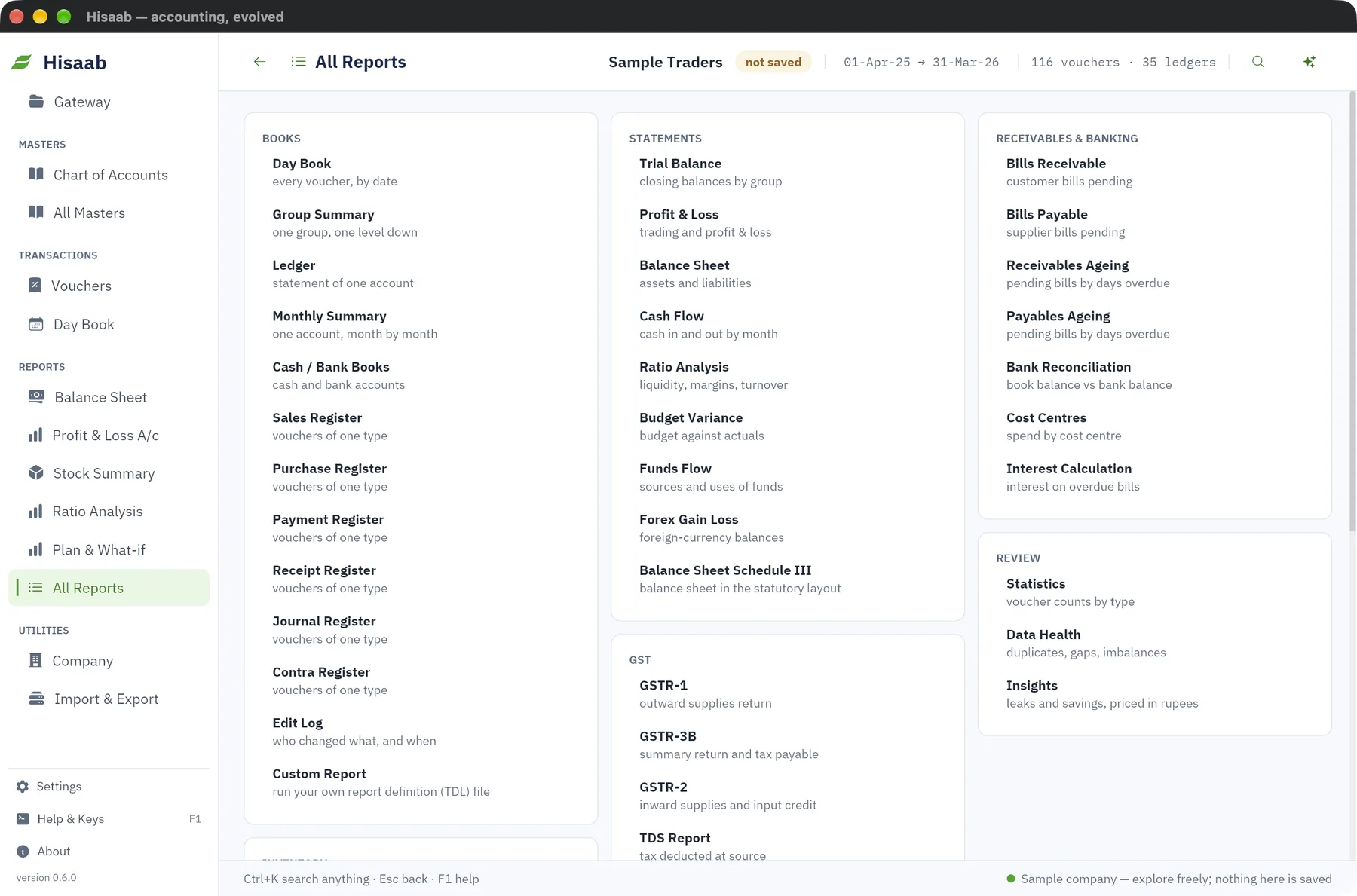
Open a report#
- Click All Reports in the sidebar.
- Click the report name.
Or press Ctrl+K, type part of the report name and press Enter.
Some reports are about one ledger, group or stock item. They show a box at the top where you type the name and pick it from the suggestions.
Books#
| Report | What it answers |
|---|---|
| Day Book | Every voucher, by date. |
| Group Summary | One group, one level down. Leave the group blank for all groups. |
| Ledger | Statement of one account. |
| Monthly Summary | One account, month by month. |
| Cash / Bank Books | Cash and bank accounts. |
The Books card also opens the Sales, Purchase, Payment, Receipt, Journal and Contra registers (vouchers of one type), the Edit Log, and Custom Report, which runs your own report definition (TDL) file.
Statements#
| Report | What it answers |
|---|---|
| Trial Balance | Closing balances by group. |
| Profit & Loss | Trading and profit & loss for the period. |
| Balance Sheet | Assets and liabilities. |
| Cash Flow | Cash in and out by month. |
| Ratio Analysis | Liquidity, margins, turnover. |
| Budget Variance | Budget against actuals. |
| Funds Flow | Sources and uses of funds. |
| Forex Gain Loss | Foreign-currency balances. |
| Balance Sheet Schedule III | Balance sheet in the statutory layout. |
Receivables & banking#
| Report | What it answers |
|---|---|
| Bills Receivable | Customer bills pending. |
| Bills Payable | Supplier bills pending. |
| Receivables Ageing | Pending customer bills by days overdue. |
| Payables Ageing | Pending supplier bills by days overdue. |
| Bank Reconciliation | Book balance against bank balance, for one bank or cash ledger. |
| Cost Centres | Spend by cost centre. |
| Interest Calculation | Interest on overdue bills. |
Inventory#
| Report | What it answers |
|---|---|
| Stock Summary | Quantity and value on hand. |
| Item Movement | Ins and outs of one item. |
| Reorder Status | Items at or below reorder level. |
| Godown Summary | Stock by location. |
| Batch Expiry | Batches and expiry. |
| Sales Orders | Sales orders not yet fulfilled. |
| Purchase Orders | Purchase orders not yet fulfilled. |
GST#
This card also holds the TDS and TCS reports.
| Report | What it answers |
|---|---|
| GSTR-1 | Outward supplies return. |
| GSTR-3B | Summary return and tax payable. |
| GSTR-2 | Inward supplies and input credit. |
| TDS Report | Tax deducted at source. |
| TDS Quarterly Statement | Deductee-wise figures, for Form 26Q. |
| TCS Report | Tax collected at source. |
Review#
| Report | What it answers |
|---|---|
| Statistics | Voucher counts by type. |
| Data Health | Duplicates, gaps in voucher numbers, imbalances. |
| Insights | Leaks and savings, priced in rupees. |
Payroll#
| Report | What it answers |
|---|---|
| Payroll Register | Salary sheet for the month. |
| Salary Statement | Employee-wise totals for the period. |
Limits#
- The TDS Quarterly Statement is a working statement for Form 26Q. Hisaab does not make the FVU file for filing.
- The GST reports prepare figures and files. Nothing is uploaded to a government portal from Hisaab.
- Custom Report runs a TDL file over the open books, but only a part of the TDL language is supported.
Next#
Something here wrong or missing? Open a ticket and mention this page.